You can sell any game in the Nexus library, even if it isn't listen in your store's ten game showcase. To do this, you need to create a direct game link.
To create a direct game link, please follow these instructions:
- Go to the "Games" tab within your Nexus dashboard
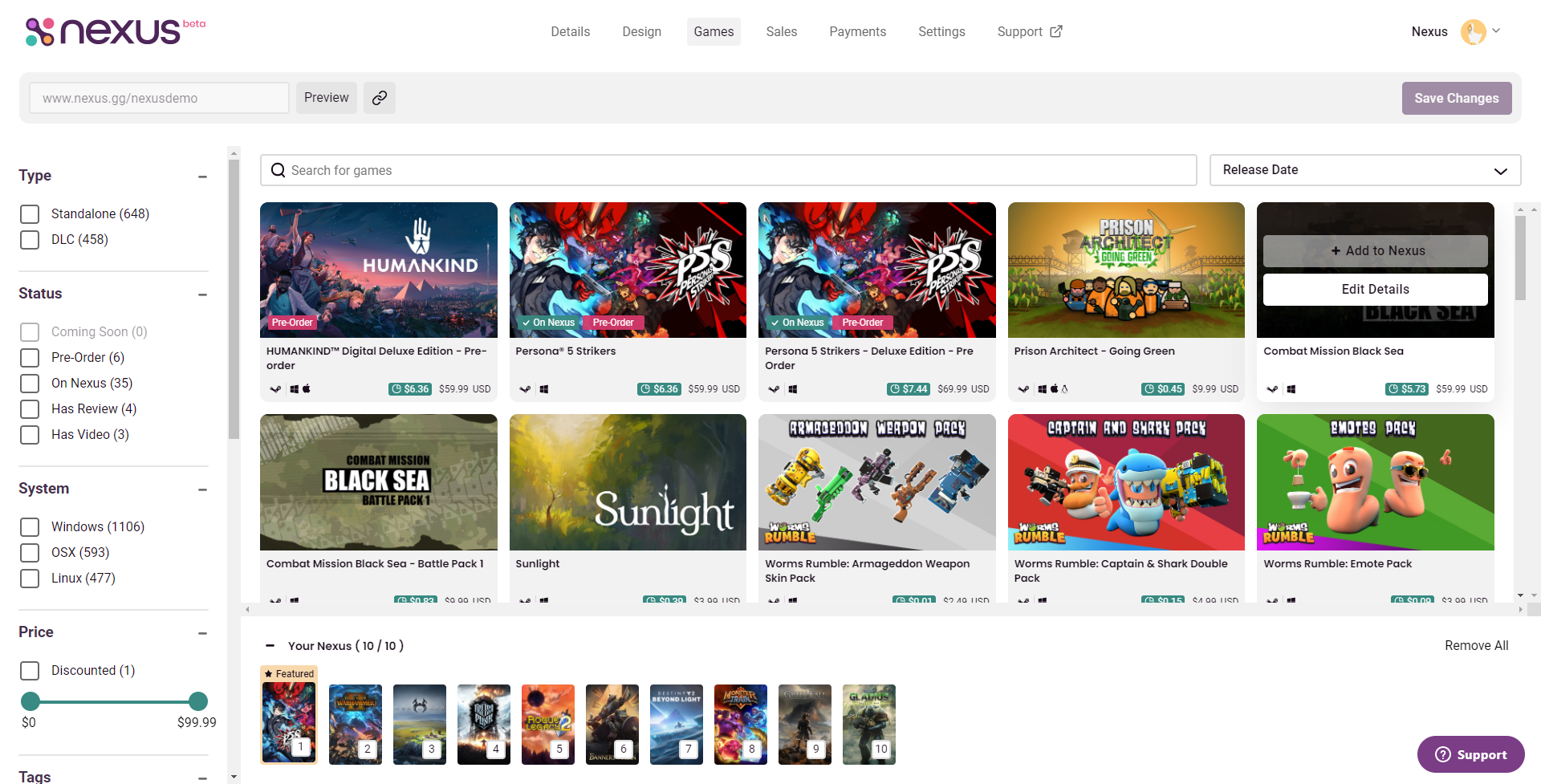
- Locate the game you are directly linking to in the library, then click "Edit Details."
- You will be brought to the details screen. At the top, you will see "Link to this game," and two options.
- "Copy Cart URL" will link customers to a pre-filled cart for this game.
- "Copy Game URL" will link customers to the product page for this game
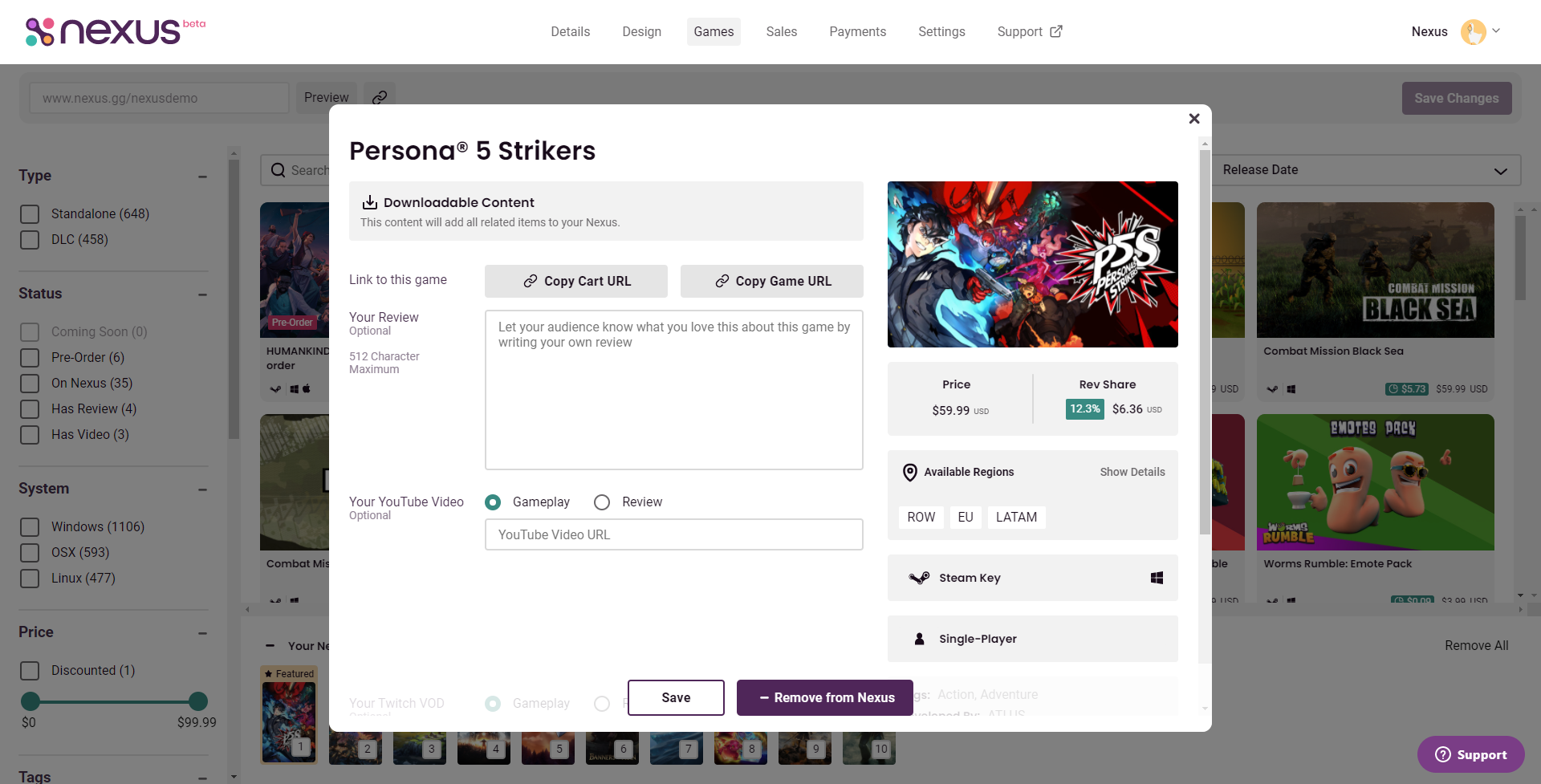
- Once you have clicked one of these two buttons, the link will be copied to your clipboard. You can paste this link where you need it using CTRL+V on your keyboard.
This feature can be useful for several reasons. For example:
- If someone in your audience expresses interest in buying a game that isn't in your store, you can create this link without having to change your showcased games.
- If you've featured a Nexus game for sale in one of your videos, and used a direct link in the description, users will always be able to purchase that game from you, even if you're no longer showcasing the game.
- If enough people make a purchase from a direct link, you may decide later to put it in your showcased games.